
You can now add all the Articles with the Add New button in the Dashboard
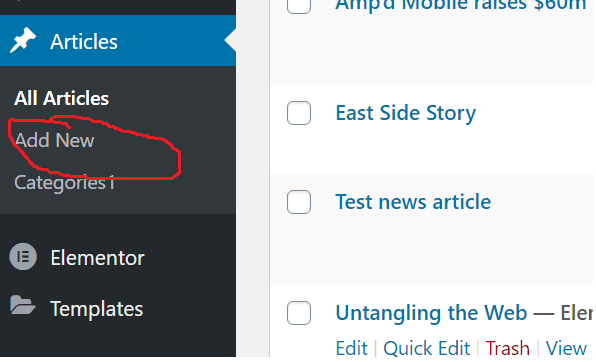
To set them into a category, you can use the the ‘quick edit’ option in the ‘All Articles’ menu.

Or alternatively you can set the tick box in the add new pane:

You can also add new categories here or in the Dashboard. I think it is best to add the rest as sub categories parented to the these top level ones in the way the menu bar is structured.
Images should be added in this order:

Don’t Forget to click publish/update when ever you are finished making your edits!!!
You can add new categories like this:
